AgileFingers news archive
2024
Typing practice for learning custom vocabulary
AgileFingers now features custom flashcards for vocabulary that is not in the predefined sets. You type the answers on your keyboard, combining vocabulary review with touch typing practice.
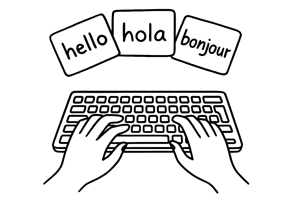
Custom flashcards let you add words and phrases in any language and build vocabulary sets tailored to your needs. You can use them to study a new language, prepare for exams or expand the vocabulary you already know. They also provide keyboard typing practice: as you type the answers, you review vocabulary and practise the finger movements used in touch typing.
Each flashcard session combines vocabulary review with keyboard practice. Type the answers carefully and revisit words that you find difficult.
Create a set in the AgileFingers flashcards module with the words and phrases you want to review.
Typing accuracy setting
A new feature has been added to AgileFingers, giving you even more control over your touch typing progress. Now, you can set your desired typing accuracy in the 90% to 100% range. Accuracy can be changed on the settings page (to access the settings, click the gear icon in the top right corner of the app). With this feature, you can decide what accuracy threshold to meet for a typing exercise to count as passed.
This update is useful if you want to improve your typing precision and work towards more accurate keyboard use. Whether your goal is professional-level accuracy or you want to maintain consistent touch typing skills, the accuracy setting allows you to tailor your typing practice sessions to meet your personal goals.
Teachers also benefit from this update in the AgileFingers module for schools. They can now set a minimum acceptable typing accuracy for homework or classroom tasks, ensuring that students meet specific accuracy requirements while learning touch typing. Setting required accuracy gives teachers more options for managing and tracking student typing progress.
Whether you are learning to type online or helping students develop their skills, this new feature enhances AgileFingers' flexibility and supports more targeted keyboard typing practice.
Boost your touch typing and language skills with flashcards
AgileFingers has recently launched a new flashcards module to help you master touch typing while learning foreign language vocabulary. This new feature supports keyboard typing practice in 20 different languages, including Spanish vocabulary, French vocabulary, and German vocabulary.
The flashcards module is structured to reinforce memorization through repetition. Initially, you type each word or phrase three times with guidance from a virtual keyboard, similar to traditional touch typing exercises. Once you achieve accuracy, you must only type the word or phrase once with the virtual keyboard's help. The virtual keyboard hint is removed in subsequent rounds, challenging you to rely on your memory. If you forget the word or phrase, simply click the eye icon to reveal the word and restart a flashcard, starting the learning process from the beginning.
This dual-purpose approach makes integrating flashcards into your regular touch typing routine easy. It allows you to simultaneously enhance your keyboard typing skills and expand your foreign language vocabulary. Try the new flashcards module today and get the most out of your AgileFingers typing practice!